
Room progression · Windows launch build
How to Get to the Next Room in Shelve the Potions!
Quick Answer
To reach the next room in Shelve the Potions!, complete every item in the tutorial checklist on the left side of the screen. Finishing the three racks and spice table is not enough if one marked bottle set is still in the wrong order or the checklist has not registered it. Check numbered sets from lowest to highest and use the room's clue objects for symbol sets. When every tutorial item is complete, the door to the main cellar should open. If no checklist appears at all, start a new game; that fixed the documented launch-day case. Do not hunt for a hidden key.
- Reading time
- 5 minutes
- Difficulty
- Easy to miss
- Checked
- 2026-08-29
On this page
Guide details
Before you begin
Finish every visible tutorial objective, confirm each puzzle shelf has registered, and recover when the checklist is missing or the cellar door stays closed.
The first-room exit condition, the visible tutorial checklist, shelf-puzzle acceptance, the confirmed new-game recovery for a missing checklist, and the developer's support handoff if the reset fails.
- Status
- Checked against developer replies
- Edition
- Windows launch build
- Platform
- Windows PC · Steam
- Checked
- 2026-08-29
- Check note
- Knight Owl Games identified the tutorial checklist as the exit gate; the original player confirmed a new game restored the missing checklist.
Before you set out
Prerequisites#
- Stay in the tutorial room and make the left-side objective area visible before re-sorting anything.
- Keep each puzzle's marked bottles together; ordinary color groups do not replace the clue order.
- Use a new game only after confirming the checklist itself is absent, not merely incomplete.
Visual reference
The door opens after the checklist, not a shelf count#
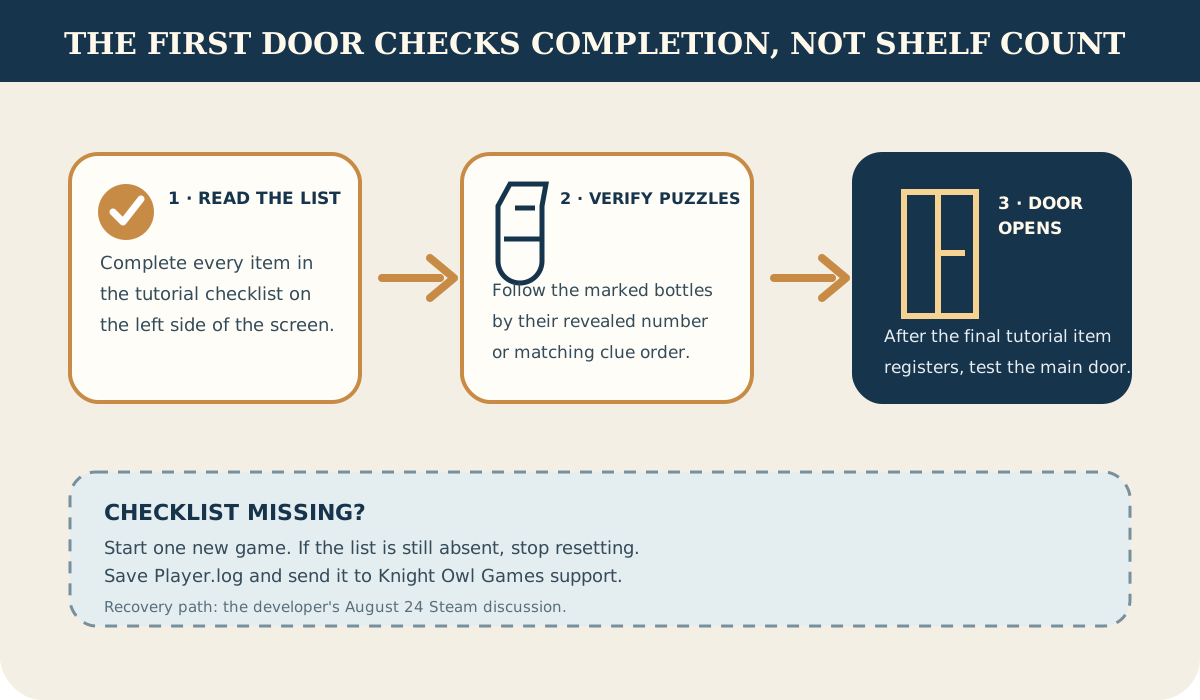
Route 02
Open the first-room door in four checks#
Work from the objective list rather than counting shelves that look tidy.
Read every tutorial checklist item#
Look at the objective list on the left and identify the item that has not registered. The developer specifically tied the exit to completing this checklist.
Recheck the marked potion sets#
A shelf can look organized while a puzzle set is wrong. Sort visible number labels from lowest to highest and use the matching clue object for symbol labels.
Wait for the final objective to register#
Finish the remaining rack or spice-table task and confirm the last checklist item clears before testing the door again.
Walk through the main cellar door#
Once the tutorial list is complete, return to the closed door. The documented gate is completion state, not an extra key or hidden switch.
Fault ledger
If the door or checklist is stuck#
- The door is closed but one checklist item remains
- Revisit that exact marked set and verify its clue order; visual neatness alone does not prove the puzzle was accepted.
- There is no tutorial checklist on screen
- Start a new game. In the documented launch-day Steam thread, the player confirmed that a new game restored the missing checklist.
- A fresh game still has no checklist
- Stop resetting. Knight Owl Games asks affected players to send the Player.log files from the game's LocalLow folder to its Discord or support email.
Field questions
First-room progression questions#
- Do you need a key to leave the first room?
- No key is documented for this gate. Complete the tutorial checklist and its puzzle shelves.
- Why did finishing the racks not open the door?
- One checklist task may still be incomplete or a marked bottle set may not be in its clue order.
- What if the checklist never appears?
- Try one new game. If it remains absent, keep the log files and contact Knight Owl Games support.